By Hi There Studio
Browser extension
Free skin-tone Looks on videos you play in Chrome or Microsoft Edge — windowed and fullscreen.
No account · No license key · Runs on your device
Get the extension
Free for Google Chrome and Microsoft Edge. Pick your browser below.


Works with browser video
Play a video on a normal website, then use Glowcast in that tab. It adjusts what you see; it does not replace the player.
- YouTube
- Twitch
- Other normal website video
Some streaming apps (for example Netflix) lock their video. Everyday website video usually works best.
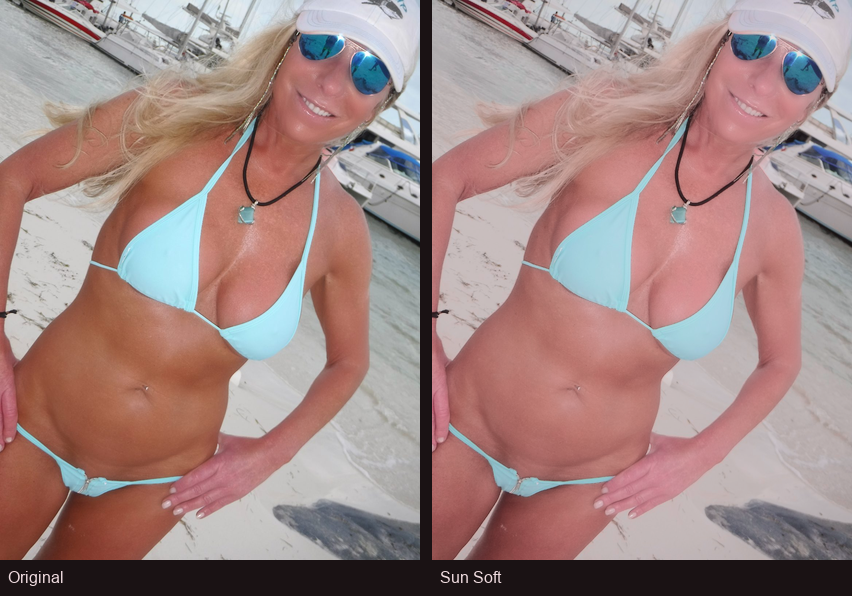
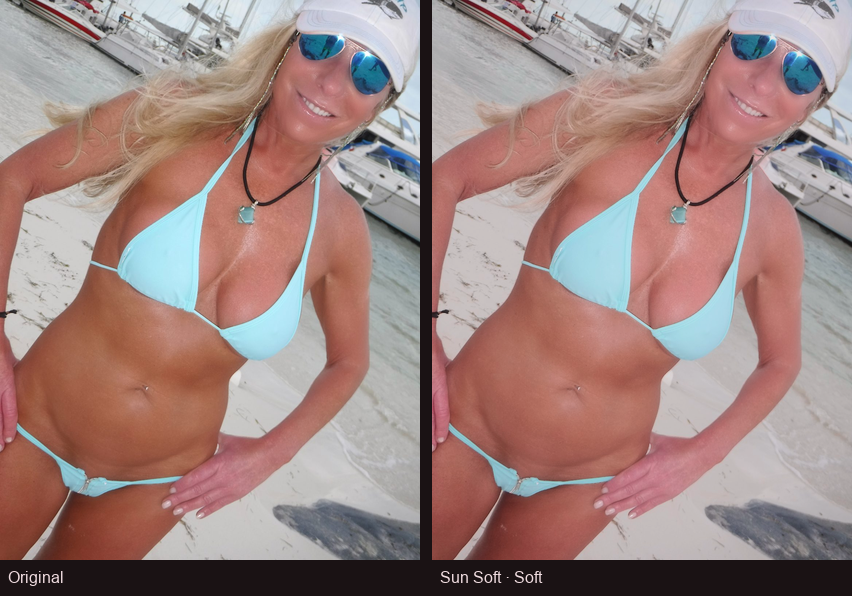
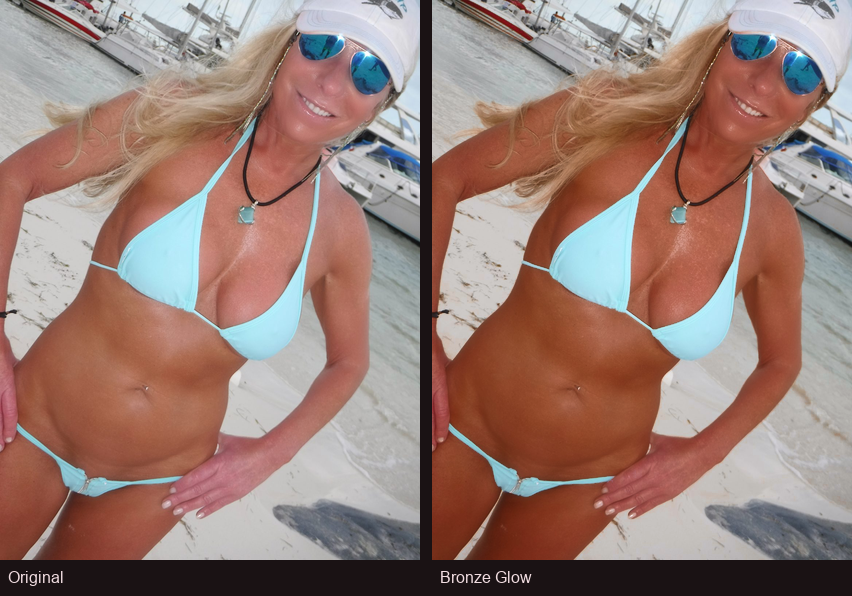
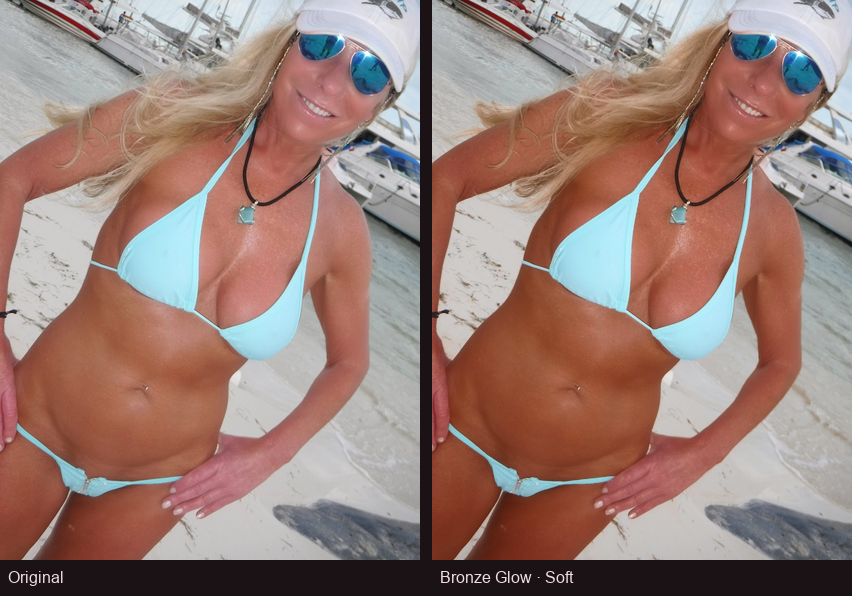
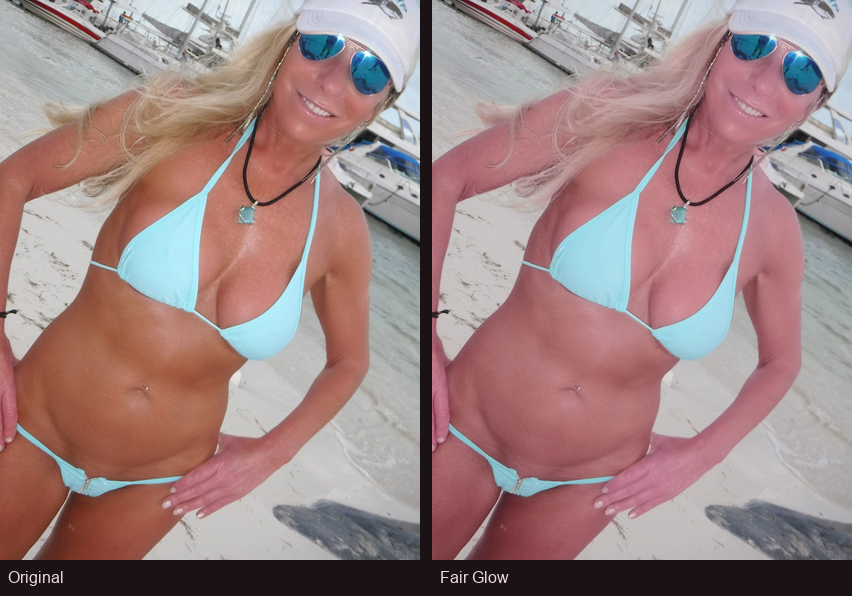
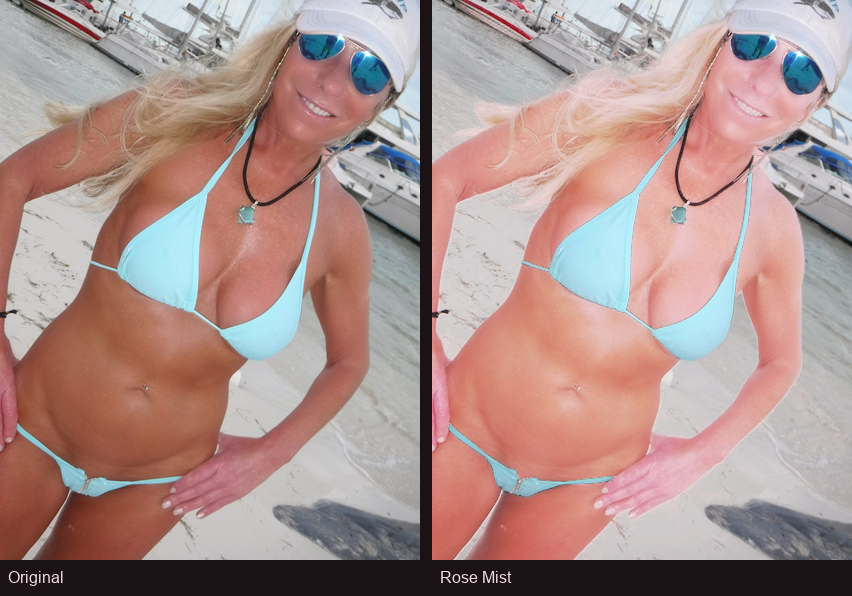
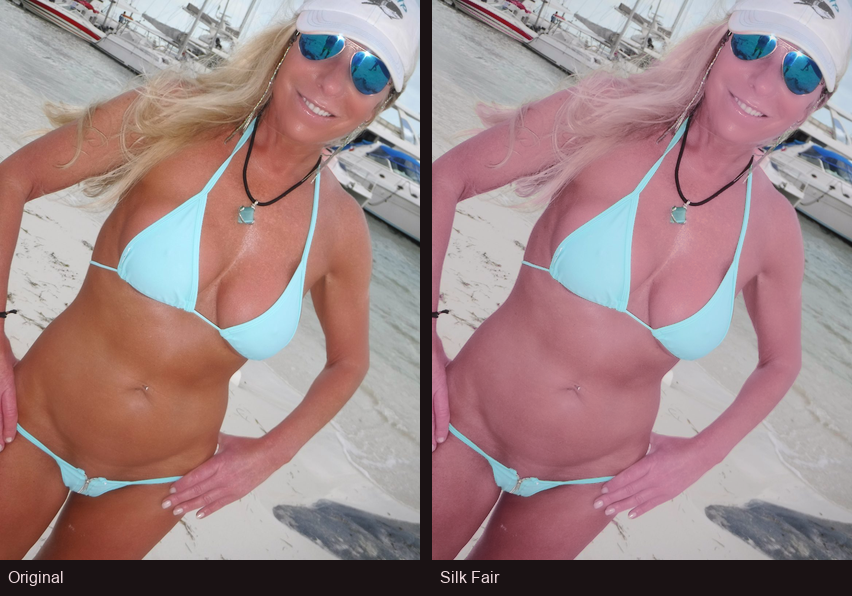
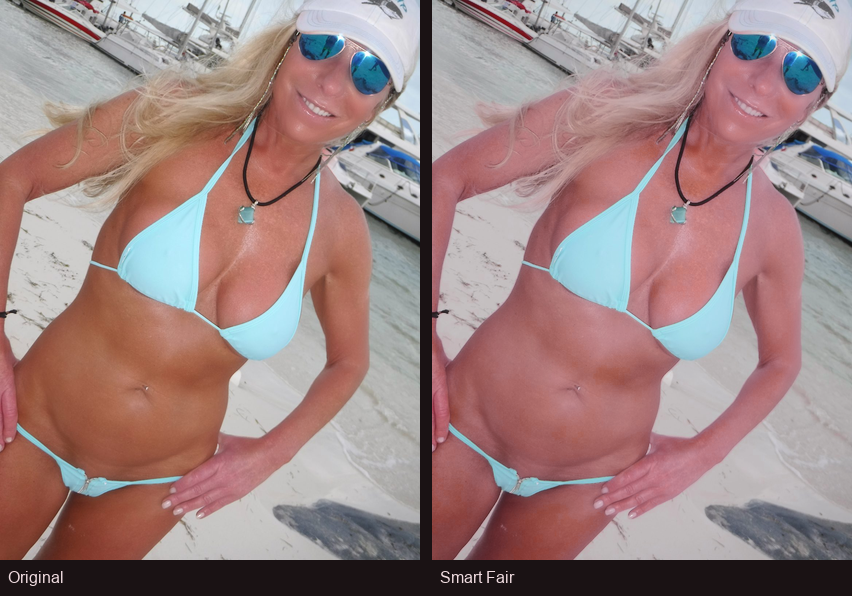
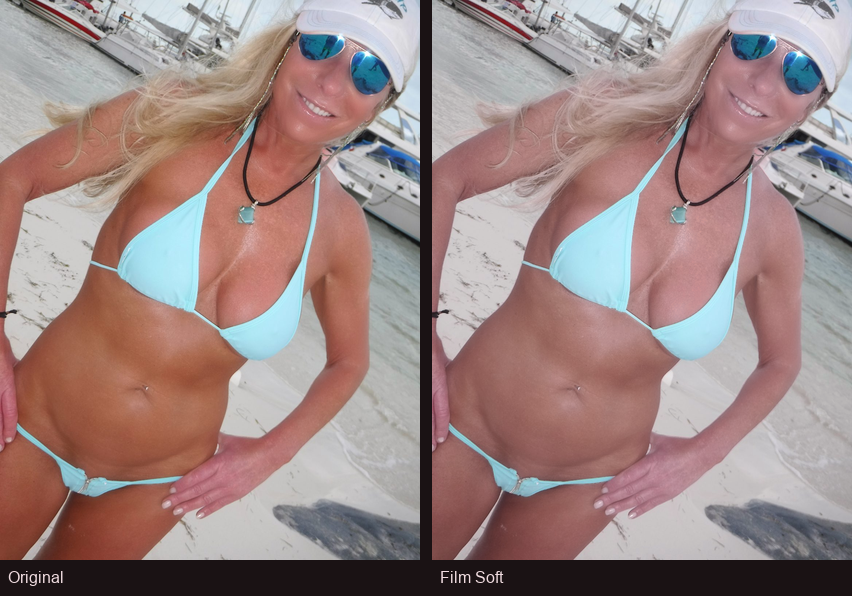
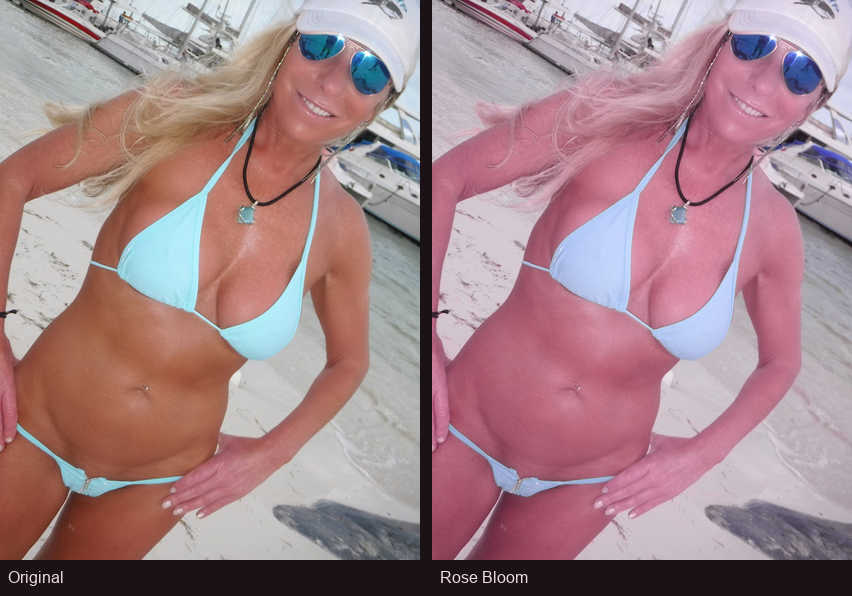
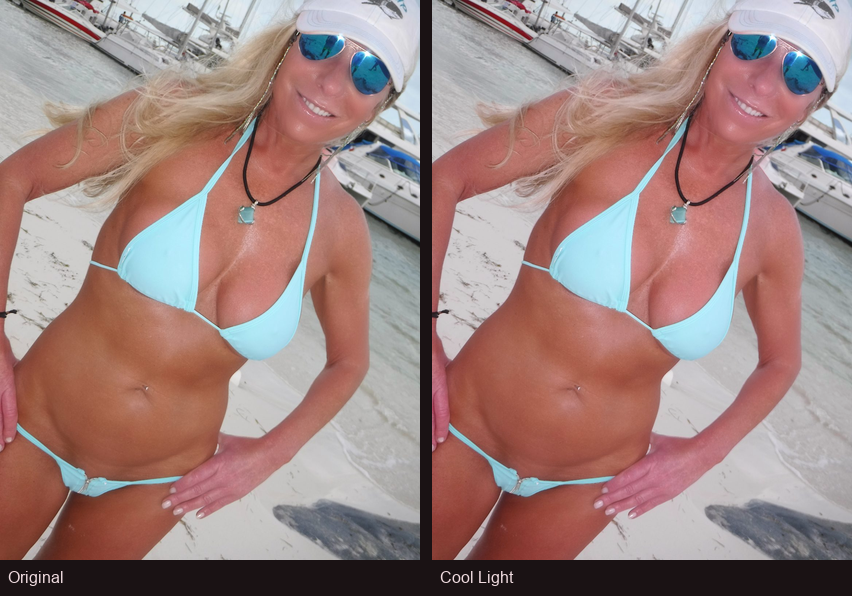
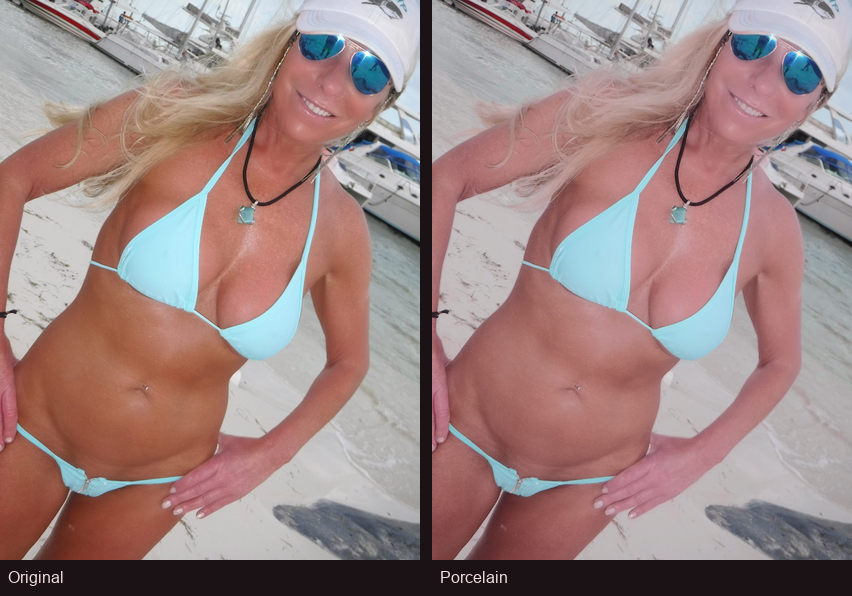
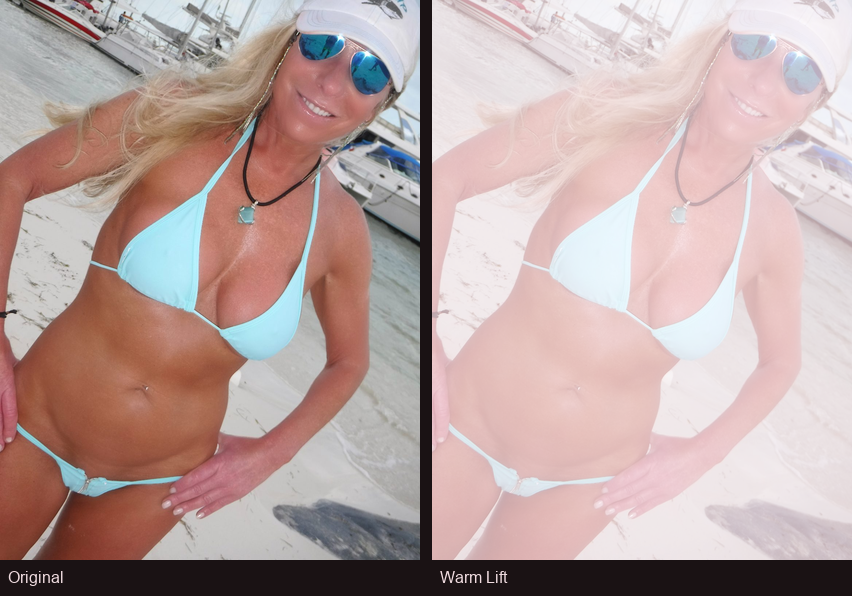
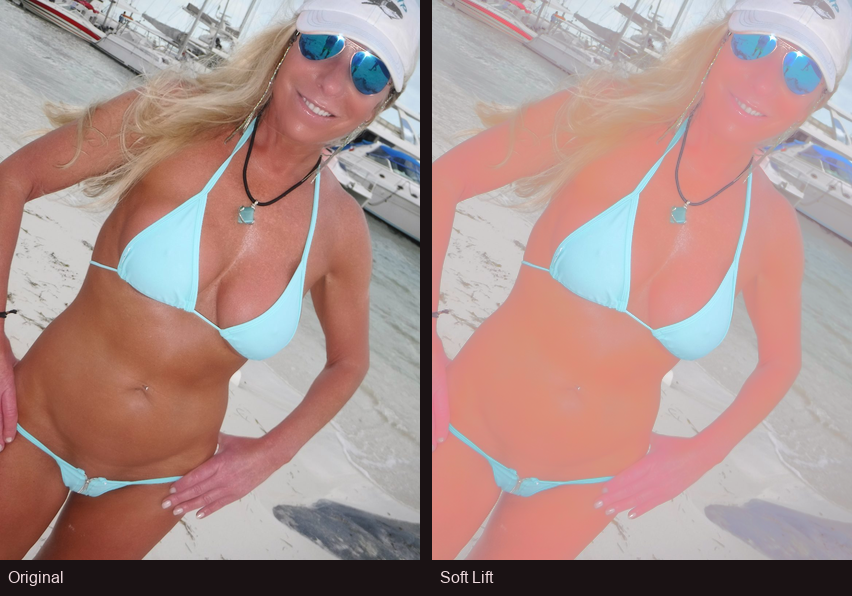
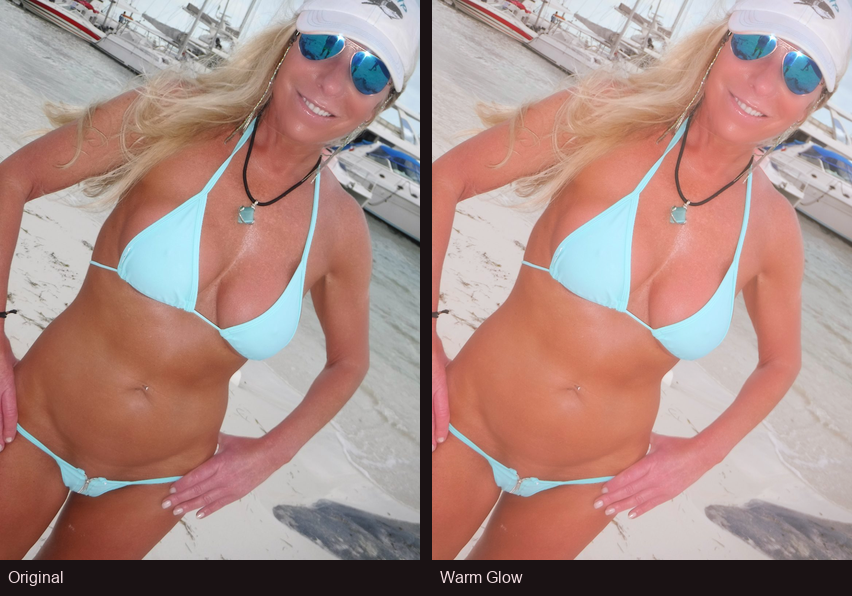
Every look, side by side
Same photo with each Glowcast look (left: original · right: after).
What you get
Free browser extension
Install in Chrome, Edge, or Firefox and adjust skin tones on videos in the page — including fullscreen. No account and no license key.
Many looks to choose from
Looks are grouped into Remove tan and Add tan — carefully tuned skin-tone Looks, not a flat tint over the whole screen.
Local processing
Everything runs on your device. We do not upload your video to a cloud server.
Hi There Studio
Glowcast is developed by Hi There Studio — the same studio behind Hi There and Spotted You!
How it works
- Install Glowcast from the store (Chrome / Edge / Firefox).
- Open a normal webpage with video and press play.
- Open the Glowcast popup, pick a Look, and adjust strength.
Note: some streaming apps (for example Netflix) often cannot be adjusted or captured. Everyday website video and local files usually work best.
Privacy at a glance
The extension adjusts video on your device. Preferences stay in your browser. Read the full Privacy Policy and Terms for details.